
Crazy 8s in design sprints: the complete facilitation guide (with FREE timer)
What is Crazy 8s?
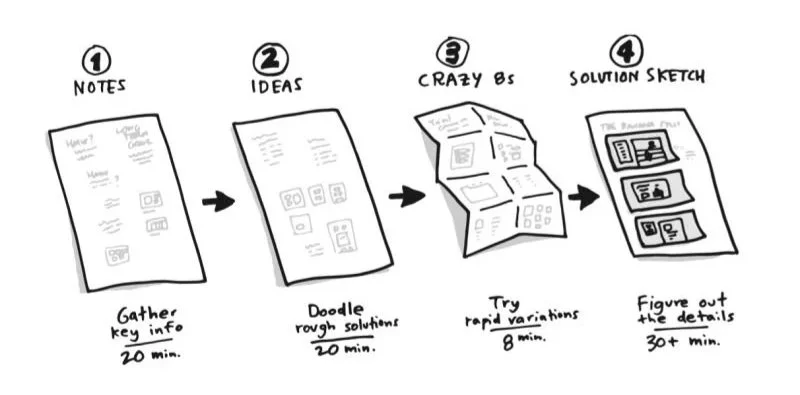
Crazy 8s is a rapid ideation exercise commonly used in Design Sprints, Design Thinking workshops and innovation sessions. Participants sketch eight different ideas in eight minutes, using one minute per idea. The technique is designed to encourage creative thinking, prevent overanalysis and generate a wide range of potential solutions quickly. It works best with groups of 4–12 people and is typically used during the ideation phase of a Design Sprint.
While the exercise itself lasts just eight minutes, the impact can shape an entire workshop.
In our experience facilitating Design Sprints across different teams, Crazy 8s is often the moment where teams stop talking about possibilities and start creating them. It transforms abstract discussions into tangible ideas and helps participants move beyond the obvious solutions that dominate most meetings.
For organisations struggling with slow decision-making, stakeholder misalignment or endless debates, that shift can be incredibly valuable.
Why crazy 8s works so well
Most teams do not have an idea problem.
They have a momentum problem.
Meetings become discussions about discussions. Teams revisit decisions that have already been made. Stakeholders analyse concepts before they've even been fully explored. The result is often frustration, slower progress and fewer innovative outcomes.
Crazy 8s breaks that cycle.
The exercise helps teams:
Generate a large volume of ideas quickly
Reduce groupthink and dominant voices
Encourage participation from everyone
Explore multiple solutions before judging them
Create momentum and energy in workshops
Uncover ideas that would not emerge through discussion alone
One of the reasons Crazy 8s remains a core Design Sprint activity is that it prioritises quantity before quality. Participants are forced to keep moving, even when they feel stuck.
Ironically, that's often when the best ideas appear.
Many people begin with predictable solutions. By sketch five or six, they have exhausted the obvious answers and are forced into new territory. Those later concepts frequently become the most interesting outputs of the session.
Where Crazy 8s fits within a design sprint
A common misconception is that Crazy 8s is simply a brainstorming exercise.
In reality, it is a structured ideation technique that works because of everything that happens before it.
By the time participants begin sketching, they should already have:
Explored the challenge
Reviewed customer insights
Defined goals
Aligned on priorities
Identified opportunities worth pursuing
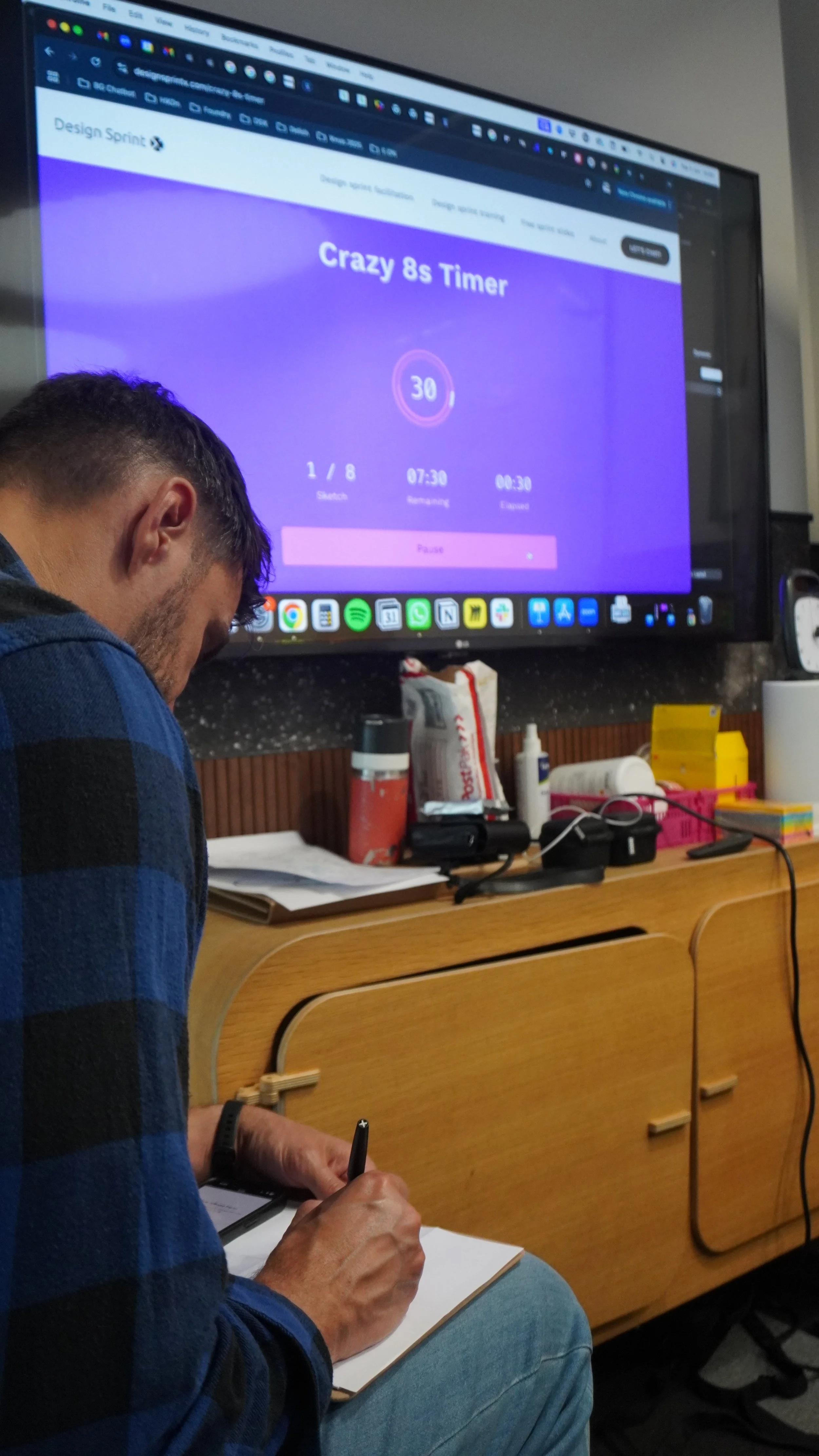
Within a Design Sprint, Crazy 8s typically sits between problem exploration and solution development.
A simplified flow looks like this:
Understand the challenge
Gather insights
Define opportunities
Run Crazy 8s
Review and vote on ideas
Develop solution concepts
Prototype and test
The exercise acts as a bridge between understanding the problem and creating potential solutions.
Without that bridge, many workshops remain trapped in analysis.
How to facilitate a successful workshop using the Crazy 8s
The mechanics of Crazy 8s are simple.
Facilitating it effectively is where the real skill lies.
Step 1: Frame the challenge
Everything starts with a well-defined challenge statement.
The quality of the output is directly influenced by the quality of the prompt.
Strong examples include:
How might we improve customer onboarding?
How might we reduce support tickets?
How might we increase product adoption?
How might we improve collaboration between teams?
Weak examples include:
How might we improve our business?
How might we innovate more?
How might we make things better?
Broad questions tend to produce broad ideas.
Specific questions produce actionable solutions.
Step 2: Set expectations
Before the timer starts, participants need to understand one thing:
This is not an art competition.
Remind the group:
Stick figures are acceptable
Notes and labels are encouraged
Quantity matters more than quality
There is no discussion during the exercise
Participants should keep moving if they get stuck
Many facilitators spend too much time explaining the process.
A brief explanation is usually enough.
The energy comes from doing, not discussing.
Step 3: Run the exercise
Each participant folds a sheet of paper into eight sections.
The facilitator sets the timer for eight minutes.
Participants then create:
Eight ideas
Eight sketches
Eight possible solutions
One minute per section.
The time pressure is intentional.
Without it, participants begin analysing rather than creating.
Facilitator tip
Encourage participants to sketch something, even if they think it is a bad idea.
An imperfect idea often sparks a better one later.
Step 4: Share the ideas
Once the timer ends, participants take turns presenting their sketches.
The objective is understanding, not evaluation.
Ask questions such as:
What problem does this solve?
What inspired this concept?
Which user need does it address?
How is it different from existing approaches?
At this stage, avoid debates and criticism.
The focus should remain on exploration.
Step 5: Group and prioritise
After all ideas have been shared, facilitators can begin identifying themes.
Look for:
Similar concepts
Repeated patterns
Emerging opportunities
Novel approaches
Many teams then use dot voting or structured decision-making techniques to identify which ideas should move forward.
These shortlisted concepts become inputs for storyboards, prototypes and user testing.
Running Crazy 8s with remote teams
Although Crazy 8s was originally designed for in-person workshops, it works extremely well in remote environments.
Many product teams and distributed organisations now run the exercise entirely online using collaborative white boarding tools.
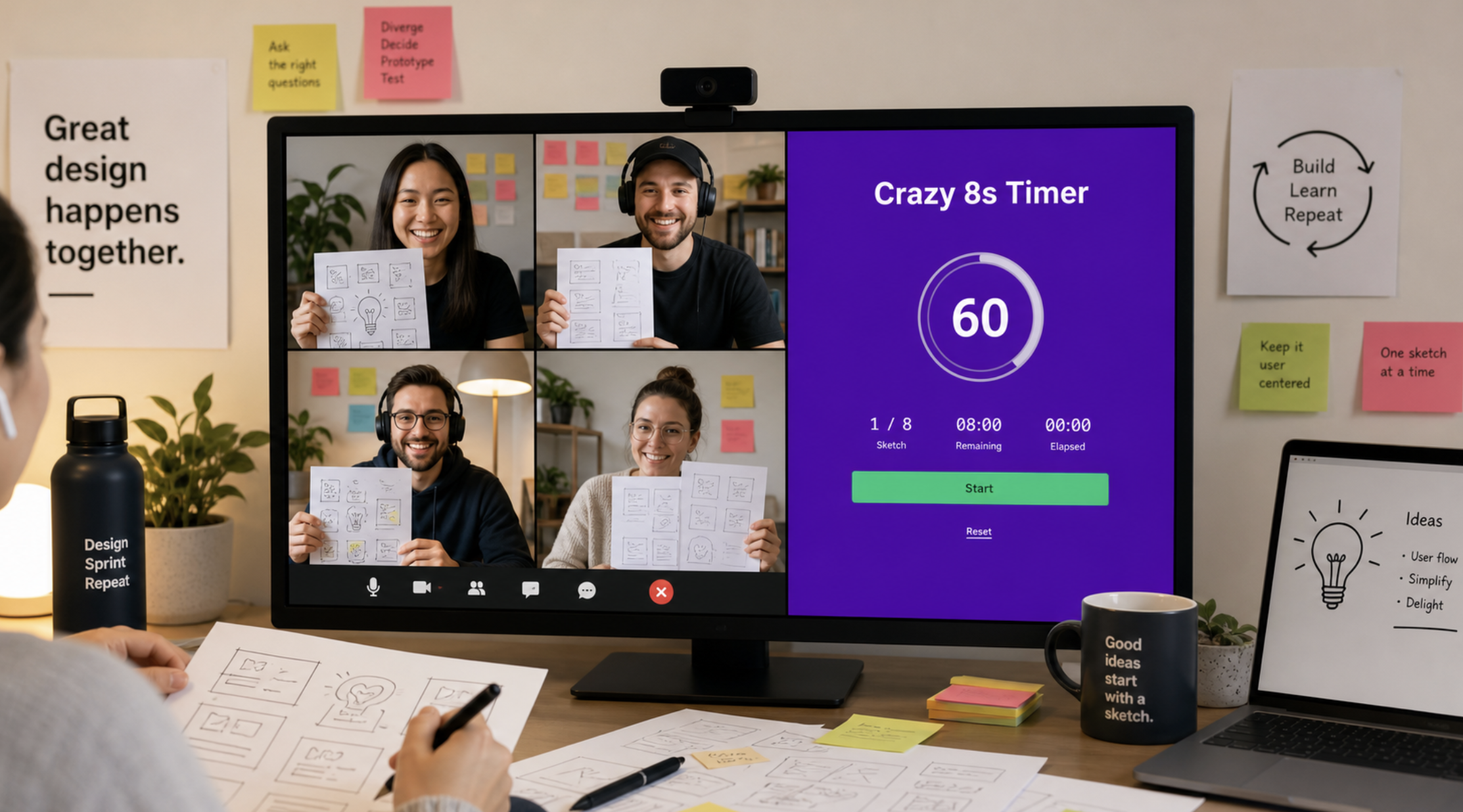
When facilitating remotely:
Use a dedicated workspace for each participant
Display a visible timer
Keep cameras on where possible
Encourage sketching rather than typing
Limit distractions during the eight-minute exercise
Try our FREE Crazy 8s timer
If you're planning a workshop, we've created a free Crazy 8s Timer specifically for Design Sprint facilitators.
It helps maintain pace, creates urgency and removes the need to manage timing manually during the exercise.
Or if you’d prefer, you can download it in the App Store and have it ready on your iPad for your next session.
FAQ
How long should Crazy 8s take?
The exercise itself takes eight minutes. Including briefing, sharing and discussion, most facilitators should allow between 30 and 45 minutes.
Is Crazy 8s part of a Design Sprint?
Yes. Crazy 8s is one of the most widely used ideation activities within Design Sprints and Design Thinking workshops.
Can Crazy 8s be run remotely?
Absolutely. The exercise works effectively in Miro, FigJam and other collaborative workshop tools when facilitated correctly.
How many people should participate?
Groups of four to twelve participants tend to produce the best balance of diversity and discussion.
What happens after Crazy 8s?
Teams typically review ideas, identify themes, vote on promising concepts and develop selected solutions further through prototyping and testing.
Stop Talking. Start Solving.
Too many teams spend weeks debating ideas that could be tested in days.
Crazy 8s is powerful because it forces action. It encourages participation, accelerates ideation and helps teams move beyond the obvious.
But like every Design Sprint activity, the results depend on effective facilitation.
If your organisation is facing a complex challenge, Design Sprint X can help you move from uncertainty to validated solutions faster through expertly facilitated Design Sprints, innovation workshops and training programmes.
