
Design sprint tools: the essential toolkit for faster workshops and better outcomes
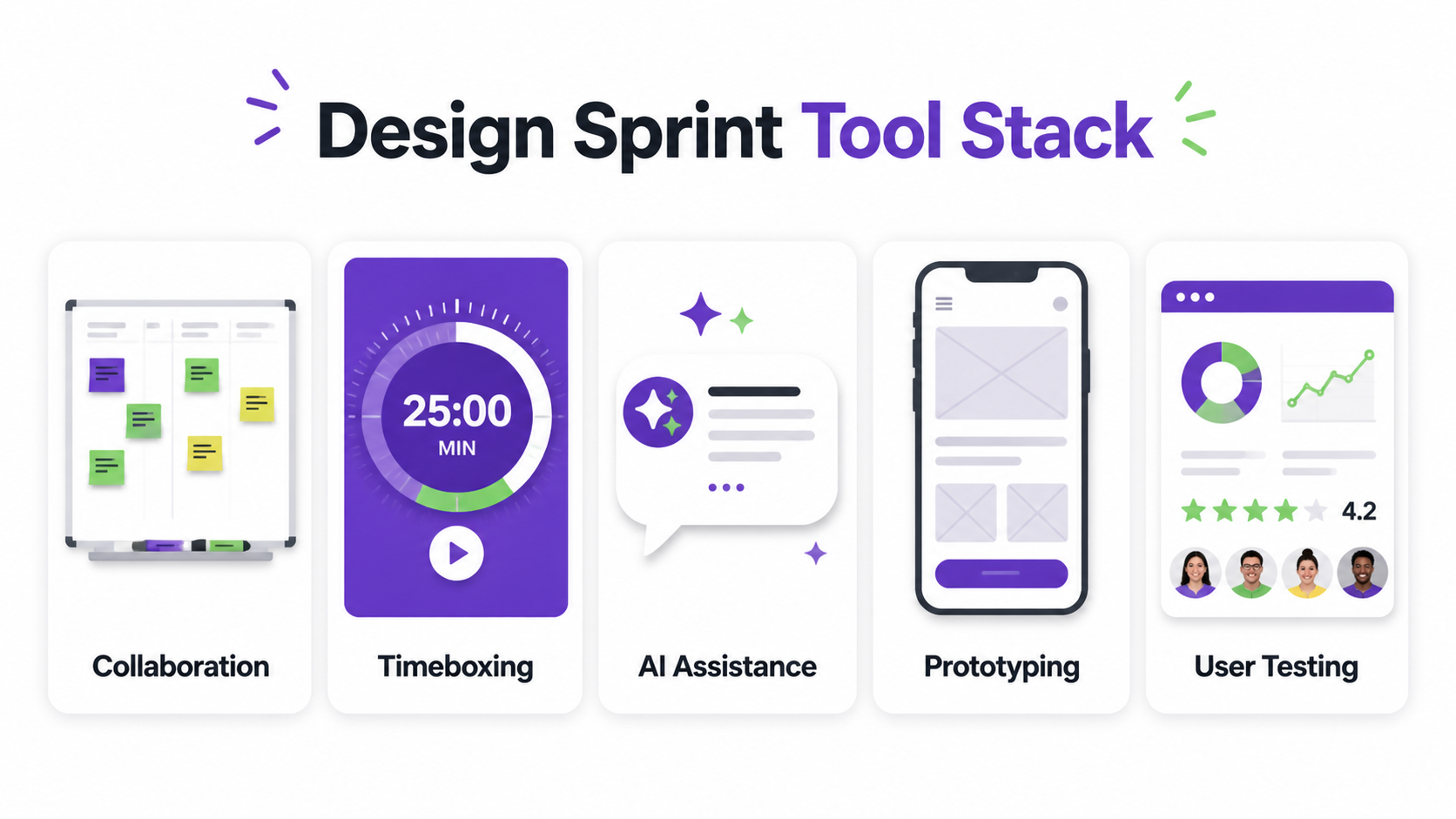
What tools do you need for a design sprint?
The core tools needed for a successful design sprint are:
A collaboration board for workshop activities
A timer to keep sessions focused and timeboxed
An AI assistant to accelerate research and synthesis
A prototyping tool to make ideas tangible
A user testing platform to validate concepts quickly
While the Design Sprint process is designed to be simple, the right tool stack can dramatically improve participation, reduce friction and help teams move from ideas to evidence faster.
Over the last few years, design sprint tooling has evolved significantly. Remote collaboration is now the norm for many teams, AI has changed how research and ideation happen, and user testing can be conducted in hours rather than weeks.
The challenge is not finding tools.
It's finding the right combination of tools that support the sprint without becoming a distraction.
In this guide, we'll explore the essential design sprint tools we use, where they fit into the process and how to build a practical tool stack for both in-person and remote workshops.
Why the right design sprint tools matter
A common misconception is that better tools automatically lead to better workshops.
They don't.
Good facilitation will always matter more than software.
However, the right tools can help teams:
Collaborate more effectively
Stay focused during activities
Capture insights quickly
Prototype ideas faster
Validate assumptions sooner
Reduce workshop administration
The goal isn't to create a complicated technology stack.
The goal is to remove friction so participants can focus on solving problems.
The 5 tool categories every design sprint needs
Every successful sprint relies on five core categories of tools.
CategoryPurposeCollaborationCapture ideas and facilitate activitiesTimeboxingMaintain momentum and focusAI AssistanceAccelerate research and content creationPrototypingTurn concepts into tangible solutionsUser TestingGather feedback and validate assumptions
Let's look at each category in more detail.
1. Collaboration Tools
Collaboration boards are the foundation of most modern design sprints.
They provide a shared workspace where participants can:
Capture ideas
Create journey maps
Vote on concepts
Run workshop exercises
Organise research findings
For remote and hybrid teams, they're often the digital equivalent of a room covered in sticky notes.
Miro
Miro remains one of the most widely used tools for Design Sprints.
Best for:
Remote workshops
Large teams
Pre-built sprint templates
Enterprise organisations
Strengths:
Flexible canvases
Voting features
Timer functionality
Strong integration ecosystem
Mural
Mural is particularly popular with innovation and transformation teams.
Best for:
Enterprise environments
Facilitated workshops
Structured collaboration
Strengths:
Facilitation controls
Stakeholder-friendly experience
Strong governance features
Seamless design handoff
2. Timeboxing Tools
Design Sprints are built around constraints.
Without effective timeboxing, workshops can quickly drift into endless discussion.
Timers create urgency, maintain momentum and help participants focus on outcomes rather than perfection.
Design Sprint X Crazy 8s Timer
Our Crazy 8s Timer was built specifically for Design Sprint facilitation.
It's designed to support:
Crazy 8s exercises
Ideation workshops
Design Thinking sessions
Innovation programmes
Best for:
Facilitators
Trainers
Product teams
Workshop leaders
Key Principle
Participants rarely complain that workshops move too quickly. They often complain they move too slowly. Strong facilitation and visible timing help maintain energy throughout the sprint.
3. AI Tools for Design Sprints
AI is rapidly becoming part of the design sprint toolkit.
Used correctly, it can accelerate research, support ideation and reduce administrative effort.
Used poorly, it can introduce bias, generic thinking and weak solutions.
The key is understanding where AI adds value.
Where AI Works Well
AI tools can help with:
Research synthesis
Persona generation
Affinity clustering
Workshop preparation
Copywriting
Prototype content
Interview question generation
ChatGPT
Best for:
Research summaries
Workshop planning
Idea generation
Drafting prototype copy
Claude
Best for:
Long-form analysis
Synthesising large documents
Strategic thinking exercises
Perplexity
Best for:
Research-based searches
Scanning large documents
Where AI should not replace humans
AI can support decision-making. It should not replace it. Design Sprints exist because organisations need real human insight, stakeholder alignment and customer validation. No AI tool can replace those activities.
4. Prototyping Tools
A sprint without a prototype is simply a workshop. Prototyping transforms ideas into something tangible that users can react to. The objective is not perfection. The objective is learning.
Figma
The most common prototyping platform used by product teams today.
Best for:
Digital products
Apps
Websites
User interfaces
Strengths:
Interactive prototypes
Collaboration
Design system integration
Canva
Increasingly useful for low-fidelity concepts and service prototypes.
Best for:
Non-designers
Workshop participants
Rapid visual communication
5. User Testing Tools
The final goal of a Design Sprint is not generating ideas. It's reducing uncertainty. User testing provides the evidence needed to make informed decisions.
Maze
One of the most popular user testing platforms.
Best for:
Product validation
Prototype testing
Quantitative feedback
Strengths:
Fast setup
Analytics
Remote testing
User Interviews
Useful for participant recruitment.
Best for:
Finding test participants quickly
Niche audiences
B2B research
The Design Sprint X tool stack
People often ask which tools we use when facilitating Design Sprints. The answer depends on the client, challenge and environment. However, a typical stack might look like:
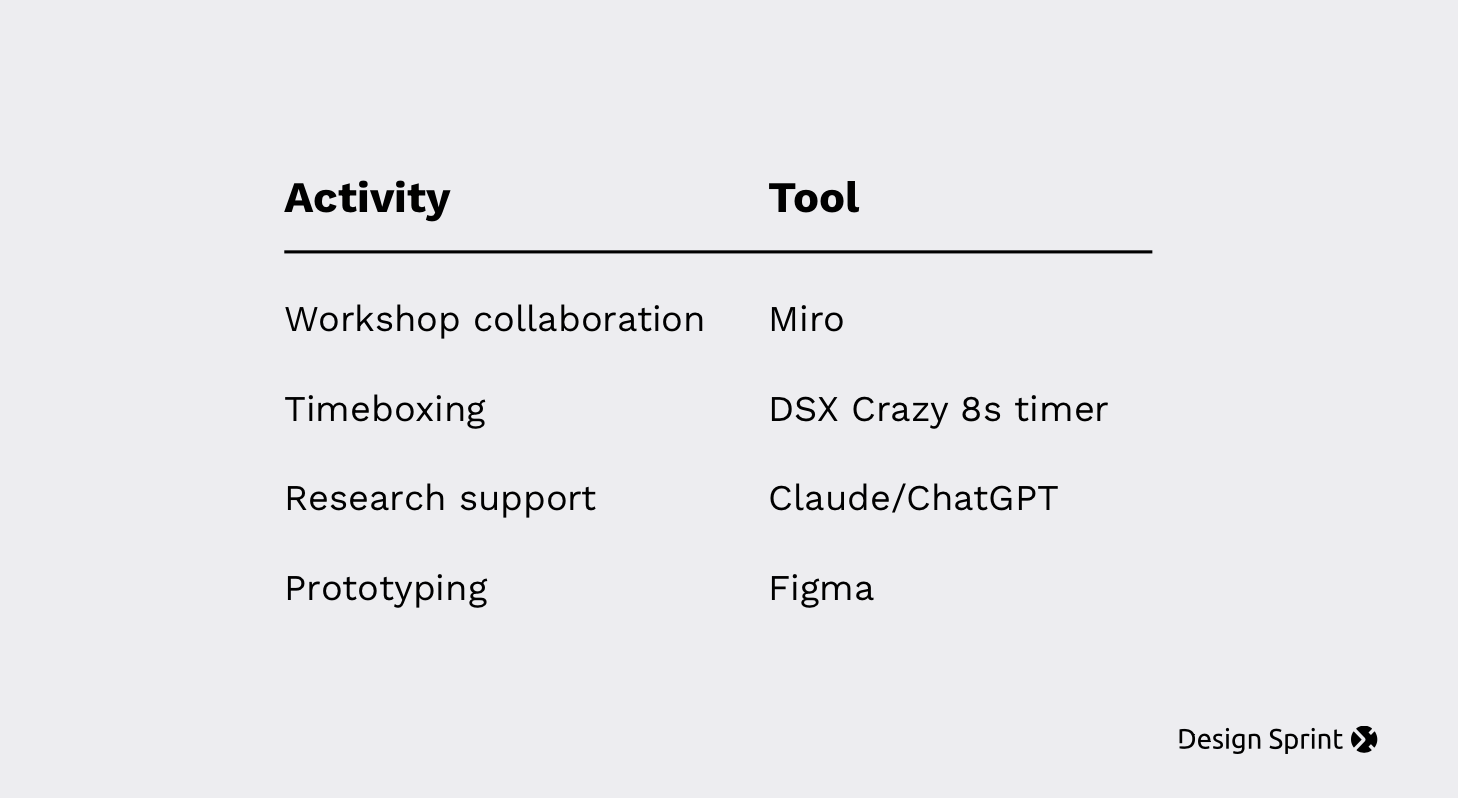
The most important thing is not the specific tools. It's choosing tools that reduce complexity rather than increase it.
Free Design Sprint Resources
To help teams run better workshops, we've created a range of free Design Sprint resources.
Free Tools
These tools are designed to support workshops and training programmes without adding unnecessary complexity.
Tools don't solve problems, teams do
The best Design Sprint tools make collaboration easier, not more complicated.
Whether you're running a remote workshop, facilitating an innovation programme or launching a new product, the goal remains the same: help teams make better decisions faster.
Choose tools that support the process, keep the focus on participants and remember that great facilitation will always outperform a complicated tech stack.
If you're looking to run a Design Sprint, train facilitators or accelerate innovation across your organisation, we can help.