
The SCAMPER method: A practical ideation technique for design sprints
Written by Luke James Taylor, Design Sprint X Co-Founder
Most brainstorming sessions follow the same pattern.
Someone writes "IDEAS" on a whiteboard. The team sits in silence for thirty seconds. The most senior person in the room speaks first. Everyone else nods. You end up with a list of things that look suspiciously like what you were already planning to do.
That's not ideation. That's groupthink with a nicer name.
The problem isn't that your team lacks creativity. It's that they have no structure for it. Blank-page brainstorming puts people on the spot and rewards confidence over quality. The loudest voice wins. The most obvious idea gets the most airtime.
SCAMPER fixes that. It's a technique that gives teams a set of deliberate lenses to look at a problem through — one at a time, in order — so ideas come from somewhere real rather than from whoever happened to speak first.
Here's what it is, how it works, and how you can use it inside a Design Sprint.
What Is SCAMPER?
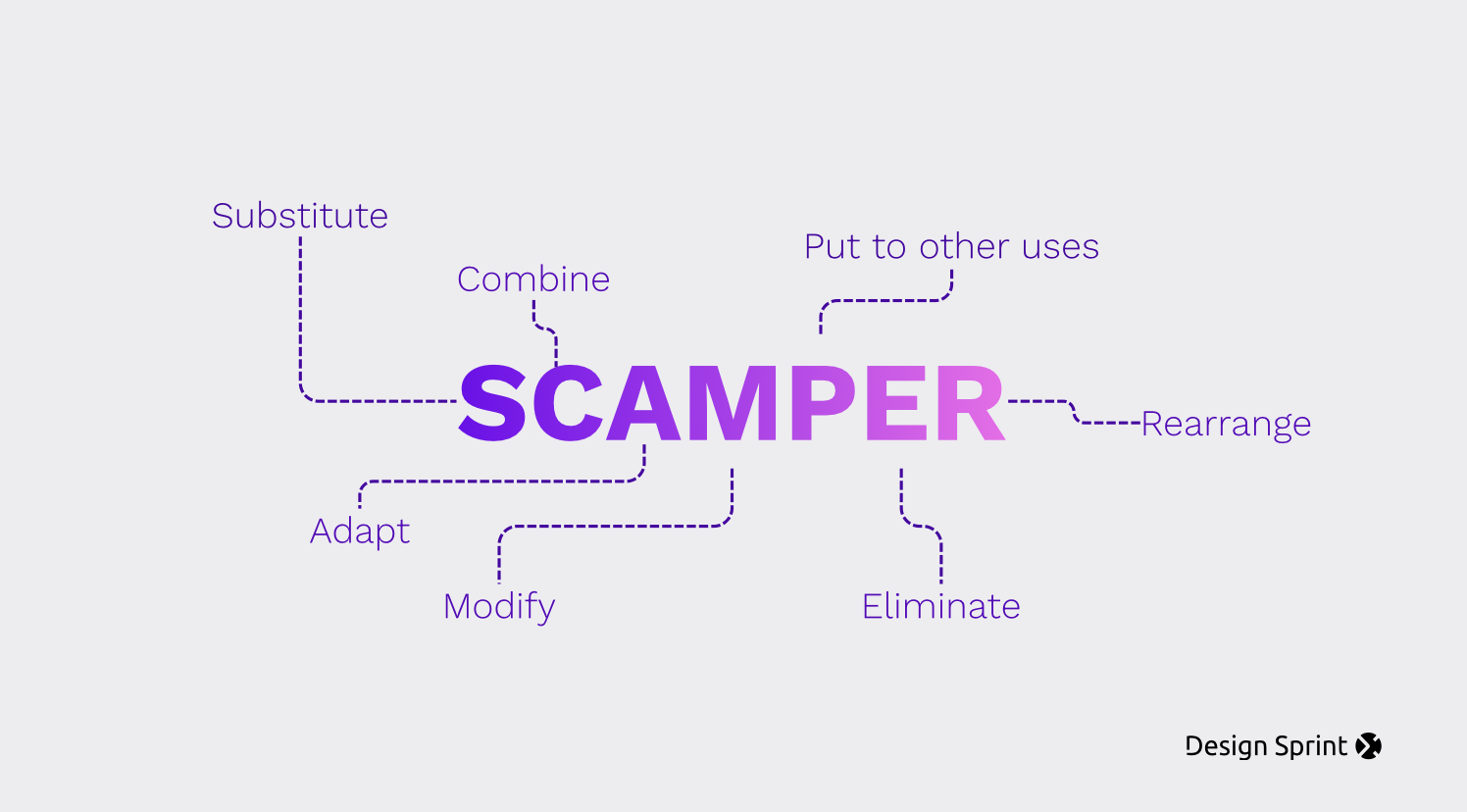
SCAMPER is a structured ideation checklist. Each letter stands for a different way of challenging or adapting an existing product, service, process, or idea:
S — Substitute: What could you swap out? A material, a step, a person, a process?
C — Combine: What could you merge with something else to create something new?
A — Adapt: What already exists that you could borrow or adjust to fit this problem?
M — Modify / Magnify / Minimise: What could you change? Make bigger, smaller, faster, slower?
P — Put to other uses: Could this thing serve a completely different purpose or audience?
E — Eliminate: What could you remove entirely? What would happen if you stripped it back?
R — Reverse / Rearrange: What if you flipped the order? Approached it from the opposite direction?
The technique was developed by Bob Eberle in the 1970s, building on earlier work by Alex Osborn — the same person who gave us brainstorming. But where traditional brainstorming is wide open, SCAMPER is deliberately constrained. Each prompt narrows your focus to one specific angle. That constraint is the point.
When you ask a team "what ideas do you have?", you're asking them to search an infinite space. When you ask "what could we substitute?", you're giving them a specific drawer to look in. The ideas that come out are different — more specific, more surprising, and more useful.
Why SCAMPER works
Blank brainstorming has a psychological problem: people self-censor.
They filter ideas before they say them out loud. They ask themselves whether the idea is good enough, realistic enough, polished enough. By the time a thought leaves someone's mouth, it's already been through three rounds of internal editing — and the rough, interesting, genuinely original version of it has been left behind.
SCAMPER sidesteps that by making the prompt, not the person, responsible for the idea. You're not being asked to "come up with something creative." You're being asked to respond to a specific question. That's a much lower-pressure task, and it produces a very different kind of thinking.
It also works well in mixed groups. Not everyone in a sprint room is a designer or an innovator by trade — you might have a legal lead, a finance director, a customer service manager. SCAMPER's prompts are accessible to all of them. You don't need a background in design to answer "what could we eliminate?" or "what if we reversed the order?"
That breadth is exactly what a Design Sprint needs. The sprint methodology brings diverse people into a room precisely because the best solutions rarely come from within a single discipline. SCAMPER gets everyone contributing, not just the product team.
How to use SCAMPER in a design sprint
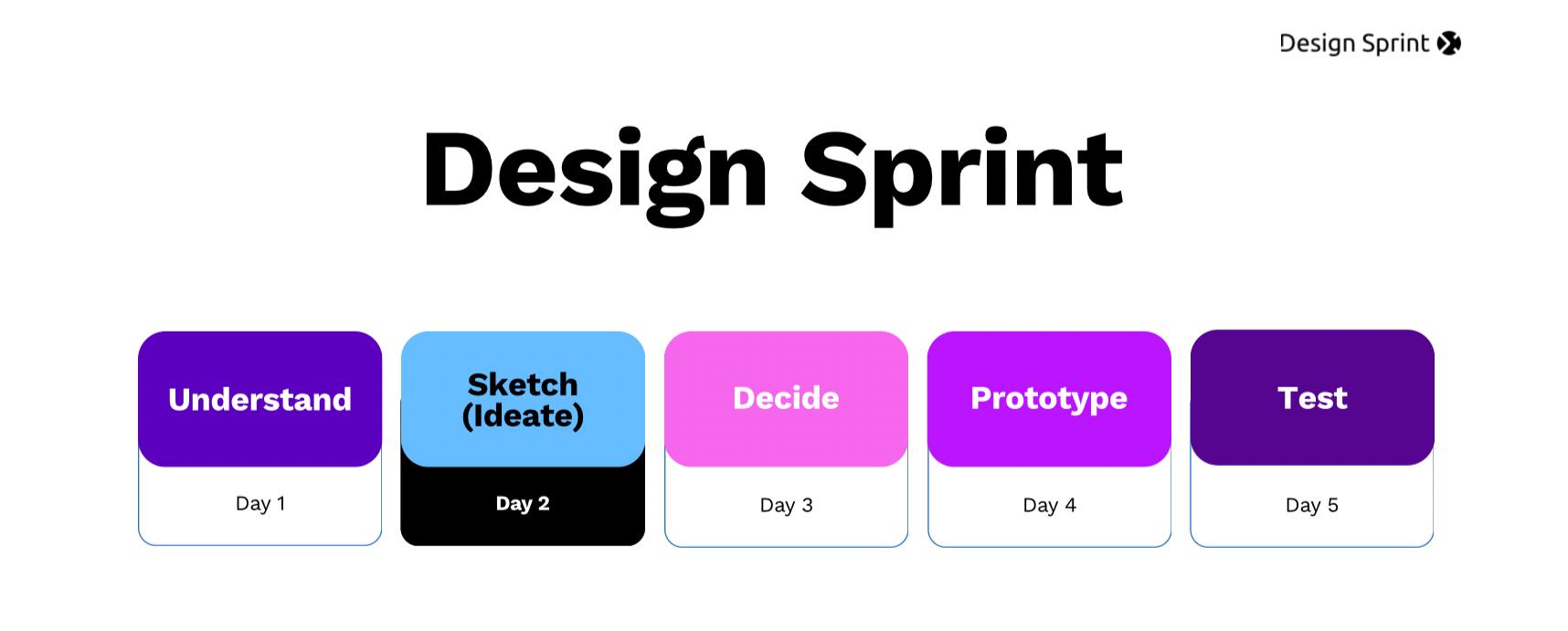
In a Design Sprint, SCAMPER typically sits in the ideation phase — Day 2 in the classic five-day format, after the team has mapped the problem and before they begin sketching solutions.
Here's how to run it cleanly.
Step 1: Define what you're applying SCAMPER to
SCAMPER works best when applied to something specific — not an abstract problem, but a concrete thing. That might be:
Your current product or service
A specific step in your customer journey
A competitor's approach
The process your team uses internally
Write it clearly at the top of the board before you start. "We are applying SCAMPER to our onboarding flow" is a much better starting point than "we are ideating about onboarding."
Step 2: Work through each letter individually
Give each prompt its own dedicated time. Don't rush through all seven in one go — you'll get shallow answers.
A good pace is three to five minutes per prompt. Ask the question, let people think quietly and write down their individual responses, then share out. Capture everything without filtering. At this stage, the quality of ideas is irrelevant. Volume matters.
Some prompts will produce more for your specific challenge than others, and that's fine. If "Put to other uses" isn't landing, move on. If "Eliminate" opens up a genuine conversation, stay with it.
Step 3: Combine and cluster
Once you've worked through all seven prompts, you'll have a wall of ideas. Some will be immediately impractical. Some will be interesting but incomplete. A few will be genuinely worth developing.
Have the team silently review everything and dot-vote on the ideas they think are most promising — not the most popular, the most promising. Then cluster the dots to see where collective energy is sitting.
What you're left with is a shortlist that came from the whole room, not just the loudest voices. That's a meaningful shift.
Step 4: Feed the best ideas into sketching
The ideas that come out of SCAMPER don't become solutions on their own. They become inputs. Take the strongest concepts into Crazy 8s or individual sketching and see which ones can hold up as an actual design. Some ideas that sound good on a sticky note fall apart when you try to draw them. Others surprise you.
The SCAMPER → sketch pipeline is one of the most productive ideation sequences in a Design Sprint. SCAMPER stretches the problem space. Sketching compresses it back down to something real.
Where teams go wrong with SCAMPER
A few common mistakes worth flagging.
Using it too early. SCAMPER needs context. If your team hasn't mapped the problem and aligned on what you're actually solving, the prompts produce noise rather than signal. It works best after you've spent time understanding the challenge — not as a first step.
Treating it as a brainstorm. If you let SCAMPER become a free-for-all group conversation, the loudest-voice problem returns. Keep people working individually on each prompt first, then share. The divergence happens in silence; the convergence happens out loud.
Forcing every letter. Not every prompt will land for every challenge. Don't spend ten minutes trying to make "Combine" work if your challenge genuinely doesn't lend itself to combination. Move on and come back if needed.
Stopping at ideas. SCAMPER generates inputs, not outputs. The ideas it produces need to go somewhere — into a sketch, a prototype, a decision. Teams that run SCAMPER and then leave the sticky notes on the wall have wasted a good technique.
SCAMPER vs Other Ideation Techniques
How does SCAMPER compare to other methods you might use in a sprint?
SCAMPER vs Crazy 8s: Crazy 8s is a rapid sketching exercise — eight sketches in eight minutes, focused on speed and volume. SCAMPER is a slower, more deliberate verbal process. They complement each other rather than compete. Run SCAMPER to generate conceptual material, then use Crazy 8s to sketch the strongest ideas.
SCAMPER vs How Might We: How Might We (HMW) statements reframe challenges as open questions before ideation begins. SCAMPER is what you use during ideation itself. Again, sequential rather than competing — HMW statements set the direction, SCAMPER explores the space within it.
SCAMPER vs mind mapping: Mind mapping is free-associative and unstructured. SCAMPER is structured by design. For enterprise teams who need to move quickly and produce ideas that are immediately usable, SCAMPER's structure is usually more productive than an open map.
A Quick SCAMPER Example
Say your team is running a Design Sprint around a broken customer renewal process. Customers are churning at renewal because the process feels complicated and impersonal.
Here's what SCAMPER might produce:
Substitute: What if we replaced the renewal form with a single confirmation button, pre-populated with their existing details?
Combine: What if we merged the renewal conversation with the annual review call our customer success team already runs?
Adapt: Our onboarding sequence does a good job of making new customers feel welcome. What if we adapted that energy for renewal?
Modify: What if we made the renewal window much longer — six weeks instead of two — so customers don't feel rushed?
Put to other uses: Our loyalty data is collected for marketing. What if we surfaced it during renewal to remind customers of the value they've already received?
Eliminate: What if we just removed the renewal step entirely and moved everyone to automatic continuation with an easy opt-out?
Reverse: What if instead of asking customers to renew, we asked them what they'd need to see to stay — and built the renewal offer around that?
None of these are finished solutions. All of them are starting points that a team could sketch, prototype, and test. That's exactly what SCAMPER is for.
The Bigger Picture
Ideation tools only matter if they lead to decisions.
SCAMPER is one of the most effective techniques we use in Design Sprints precisely because it's structured enough to produce real ideas and fast enough to fit inside a focused session. But like every ideation method, it only does its job if the ideas it generates get turned into something — a sketch, a prototype, a prototype test, a decision.
The sprint provides that structure. The ideation fills it.
If your team is stuck in the same conversations, circling the same ideas, or leaving workshops with a wall of sticky notes and no clear next step, the problem usually isn't the ideas. It's the absence of a process that does something with them.
If your team is ready to move from ideas to answers, a Design Sprint gives you the structure to do it in days, not months. Let's talk about what that could look like for your team.
Frequently Asked Questions
What does SCAMPER stand for? SCAMPER stands for Substitute, Combine, Adapt, Modify (or Magnify/Minimise), Put to other uses, Eliminate, and Reverse (or Rearrange). Each letter is a prompt that helps teams think about a problem from a different angle.
When should you use SCAMPER in a Design Sprint? SCAMPER works best in the ideation phase — after the team has mapped the problem and before individual sketching begins. In the classic five-day Design Sprint, that's typically Day 2.
How long does a SCAMPER session take? Allow around 30 to 45 minutes for a focused SCAMPER session covering all seven prompts. Three to five minutes per prompt, with time for sharing and capturing ideas at each step.
Is SCAMPER only for product design? No. SCAMPER can be applied to any challenge where you need to generate new ideas — service design, business model innovation, process improvement, marketing strategy. The prompts work regardless of the domain.
What's the difference between SCAMPER and brainstorming? Traditional brainstorming is open-ended — teams generate ideas freely without a specific prompt. SCAMPER is structured — each prompt directs attention to a specific type of thinking. SCAMPER tends to produce more varied and less obvious ideas because it forces teams out of their default thinking patterns.
Can SCAMPER be used in remote sprints? Yes. SCAMPER works well in remote settings using collaborative tools like Miro or FigJam. Have participants respond to each prompt individually using digital sticky notes before sharing with the group. The individual-first approach is especially important in virtual sessions where groupthink can dominate even more than in-person.